
Prerequisite: You have purchased a license and received a license key via e-mail.
The same license key can be activated by the number of users that has been purchased.
To activate your Project Plan PRO license, please follow these steps.
-
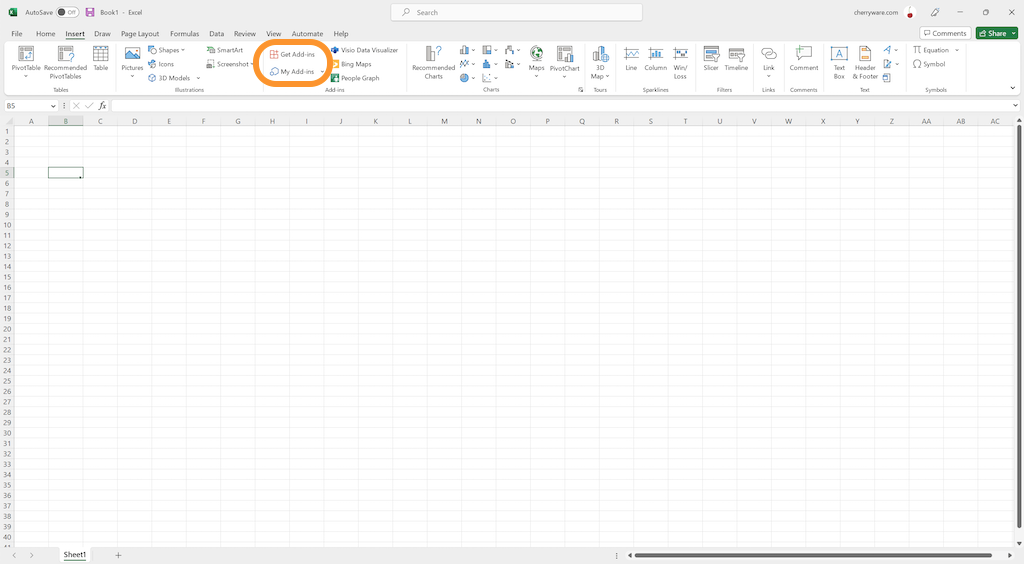
In Excel, go to the Insert tab.
a) If you have already installed, go to My Add-ins and select Project Plan to insert the add-in on the current sheet.
b) If you have not installed Project Plan, go to Get Add-ins and install Project Plan, then insert the add-in on the current sheet.
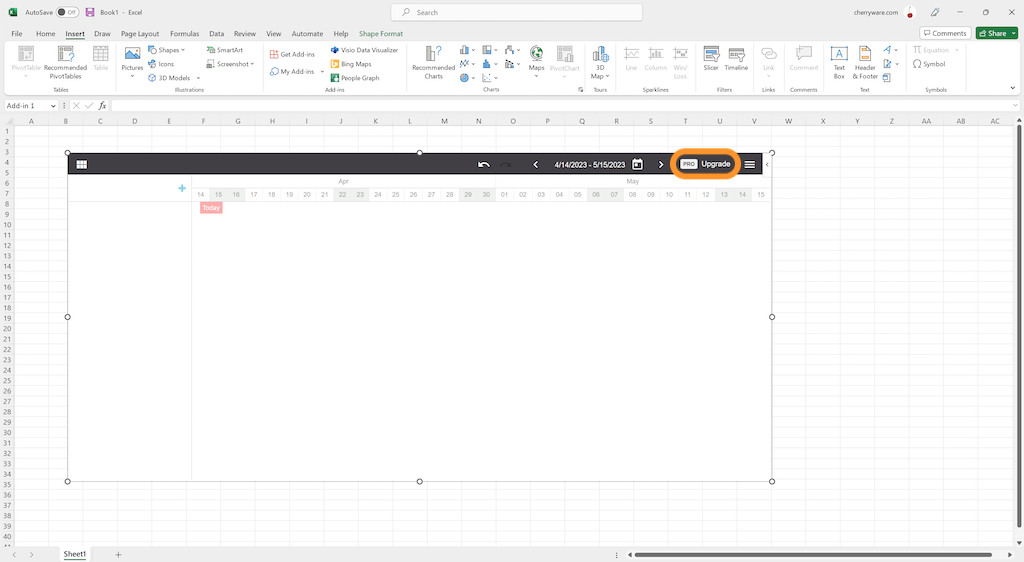
- In the Project Plan add-in, click PRO Upgrade
- Copy your license key into the input field.
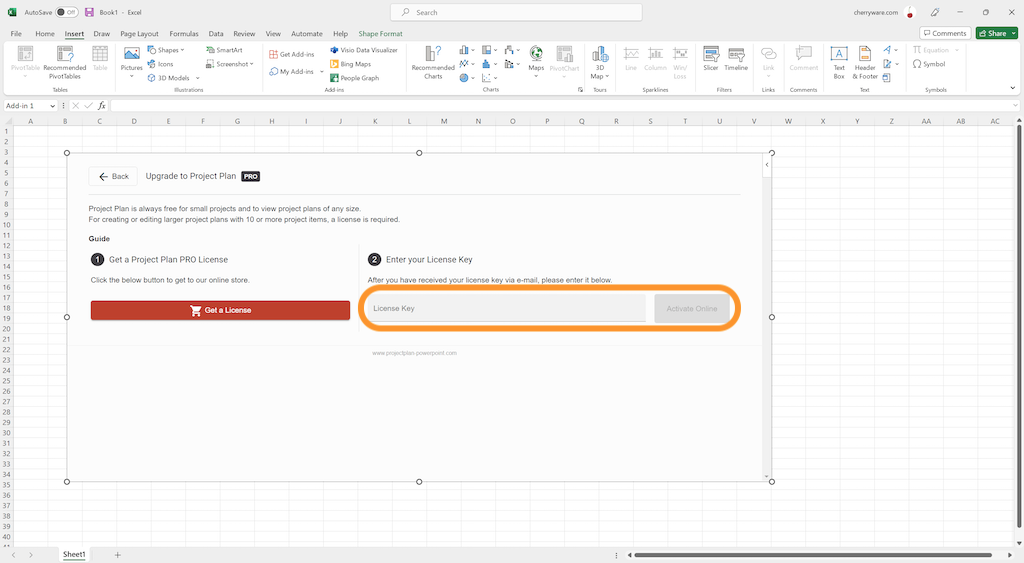
- Click Activate Online.
Done! You can create and manage as many project plans as you need.